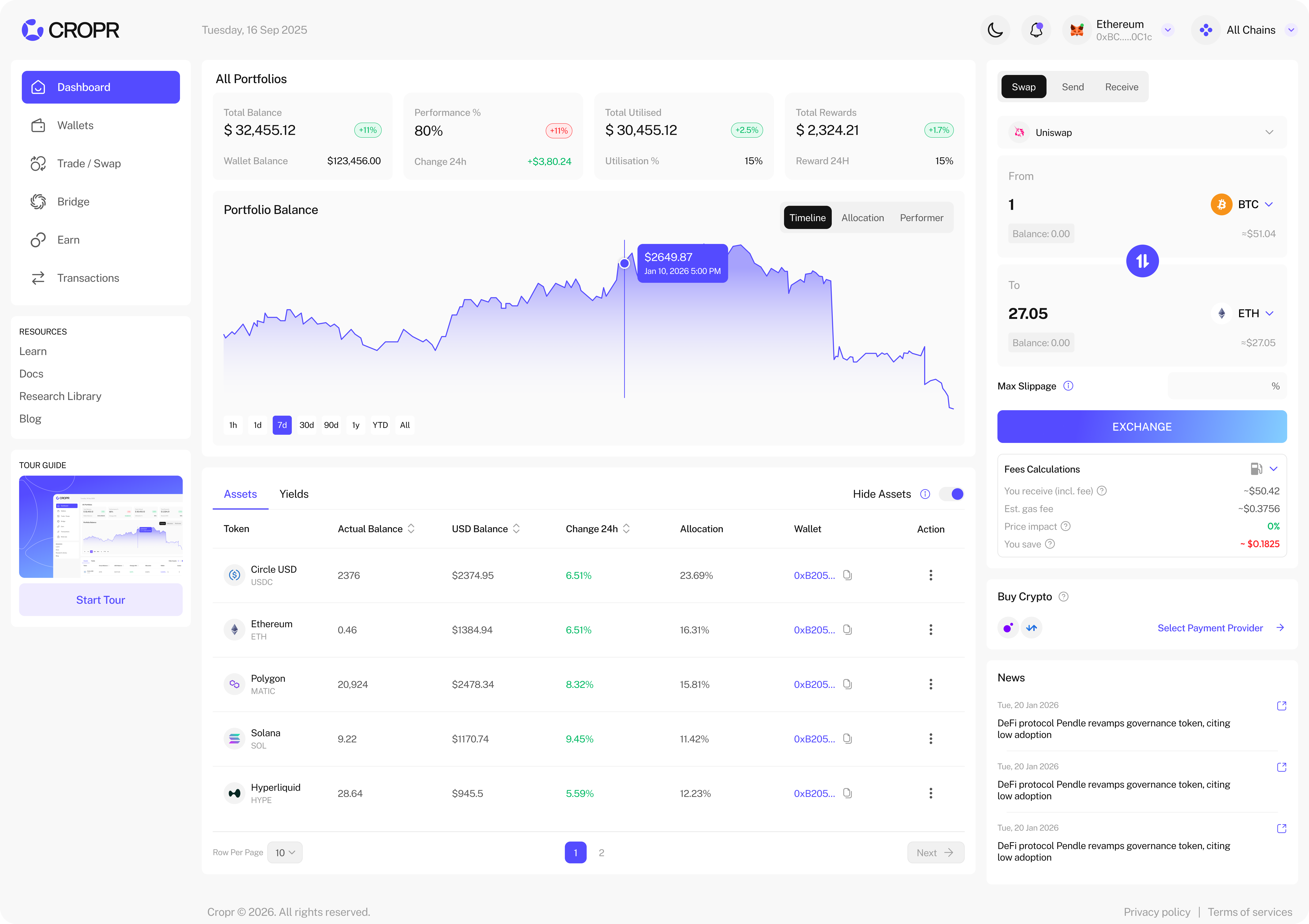
View your Portfolio
When all your wallets are connected, you can see your entire portfolio with main KPI's and Charts – all your assets, all your positions, fully tracked as unified portfolio.
KPI's
- Total Balance: Shows your entire balance including the yield positions in our integrated protocols. Below it shows your wallet balance of tokens, without the yield positions.
- Performance %: Shows you're the total performance of your portfolio and the 24h change.
- Total Utilised: Shows the value of all yield positions and percentage utilisation of the entire portfolio — So you know how much is actively generating yield and how much sits idle.
- Total Rewards: Shows the total of all rewards generated through yield positions in USD value.
Charts
- Timeline: Portfolio value performance over time
- Allocation: Portfolio allocation separated and combined in wallet holdings and yield positions
- Performer: Best and worst performing tokens over multiple time-scales
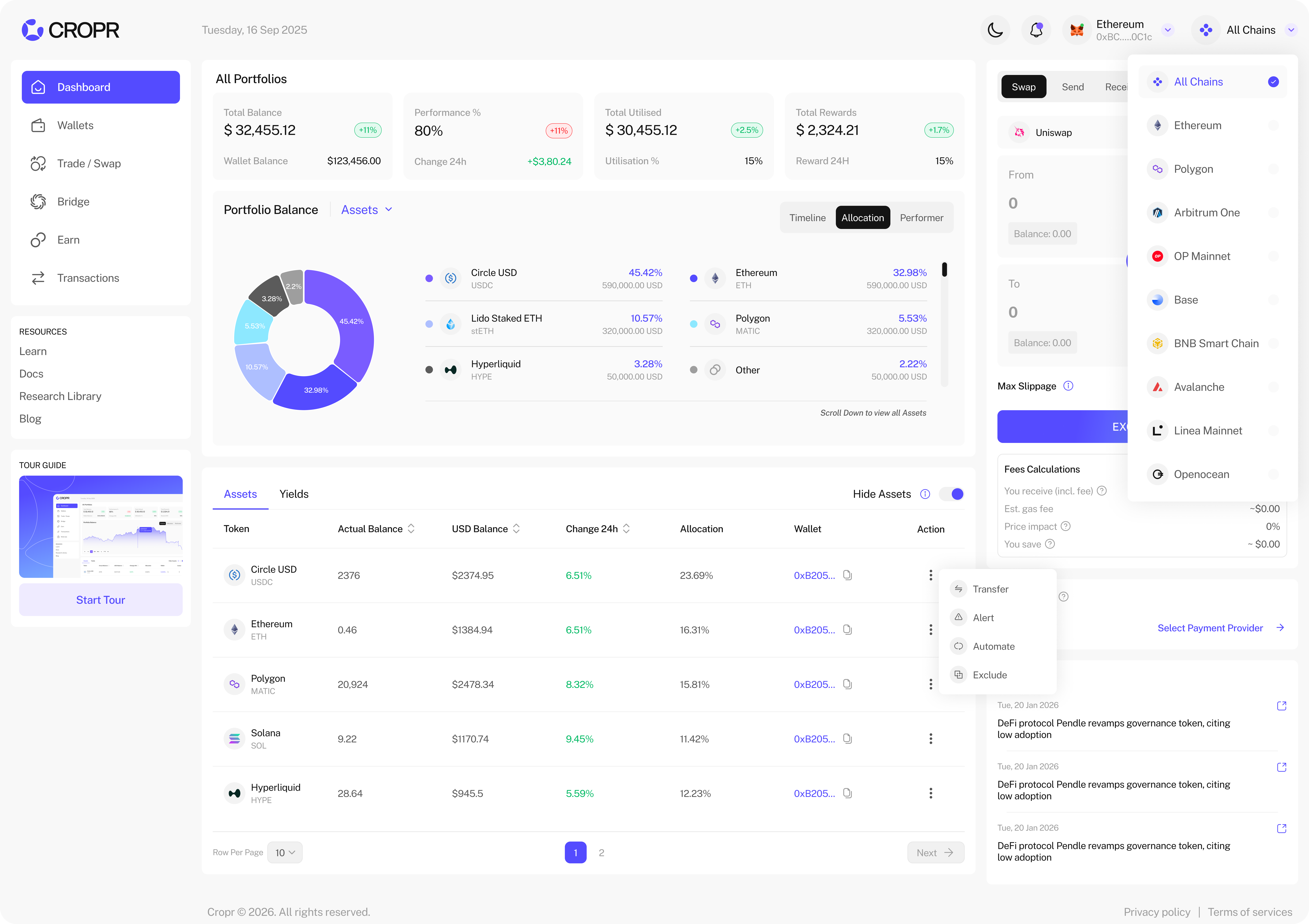
Select Network
CROPR is multi-chain but you can select each network by the drop-down on the top right. This shows you then the KPI's, charts, token list and yield position for the particular network. Also all wallet views, trading, and earn features are related to the selected chain.
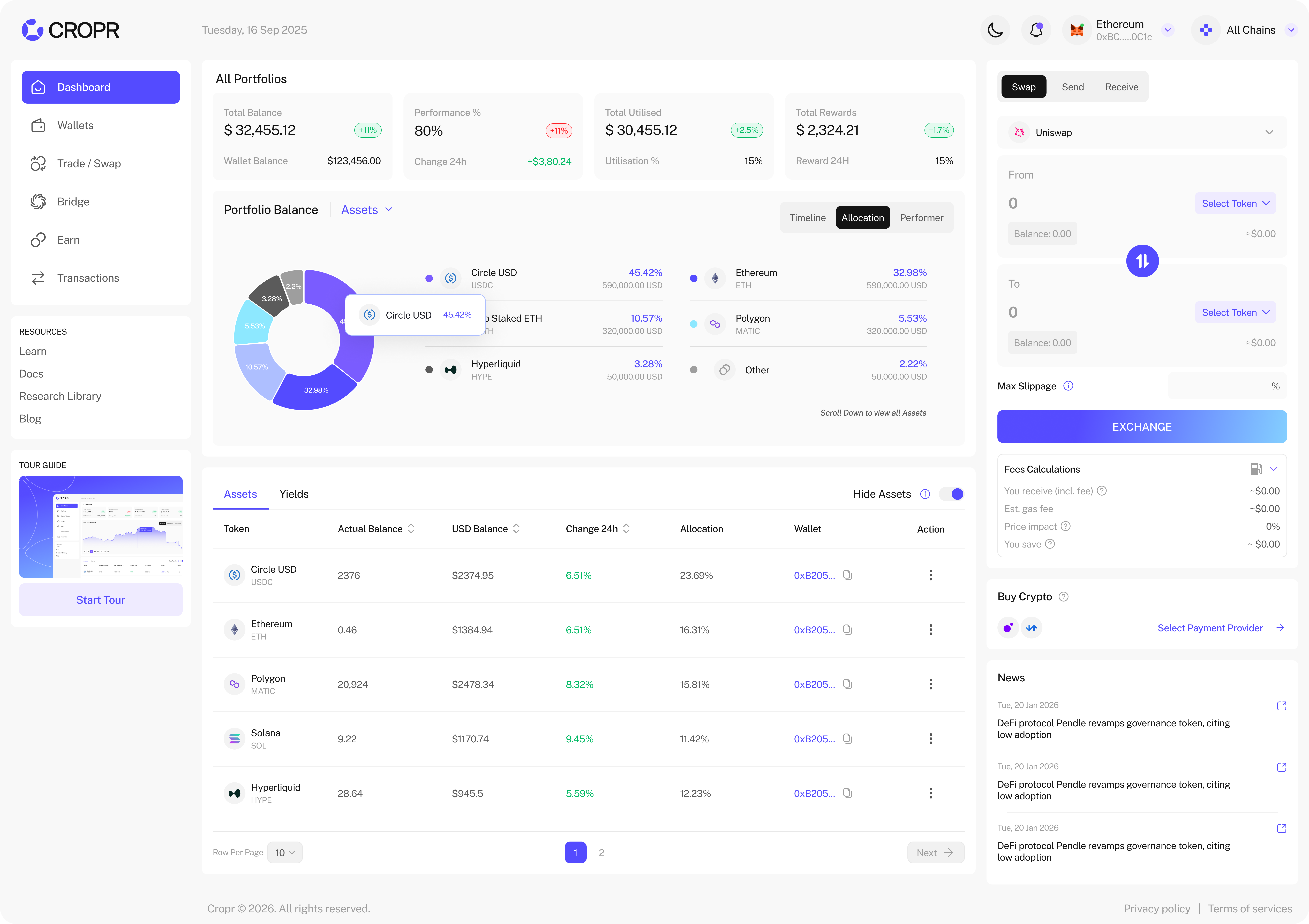
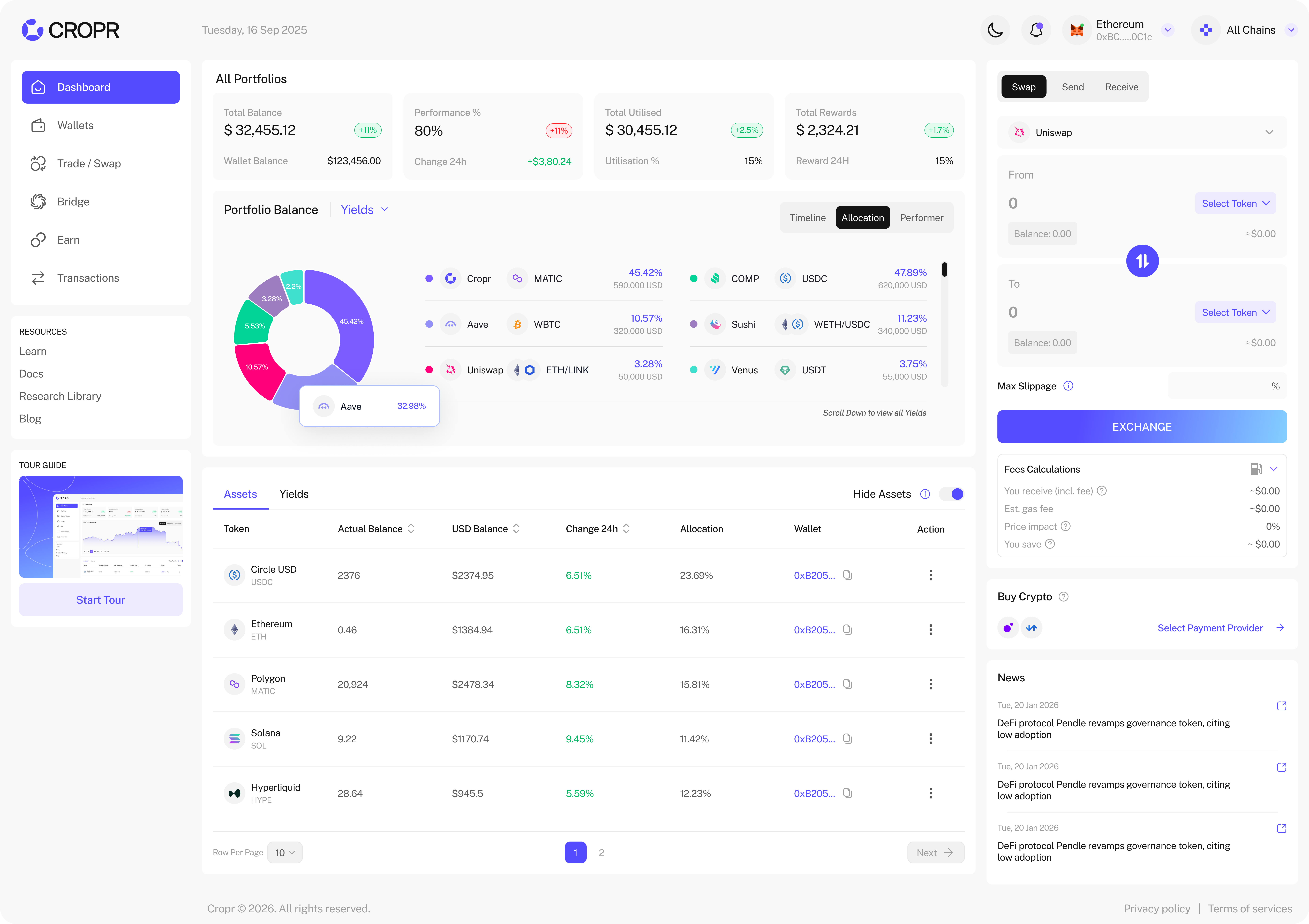
Portfolio Allocation
In the portfolio allocation you see your percentual allocation of your assets. You can select Assets and Yield allocation (default), just assets and just yield positions allocation.
Token List
The token list shows you all your tokens across all your wallets. You can also filter per wallet and see tokens below $1 which are hidden per defaults.
Yields Positions
The Yield tab lists all your active yield positions all in one and filtered in yield types (Staking, Lending & Borrowing, Liquidity). You can directly access and manage positions of the current active wallet. To manage assets from other wallets just switch the wallet in the wallets section.
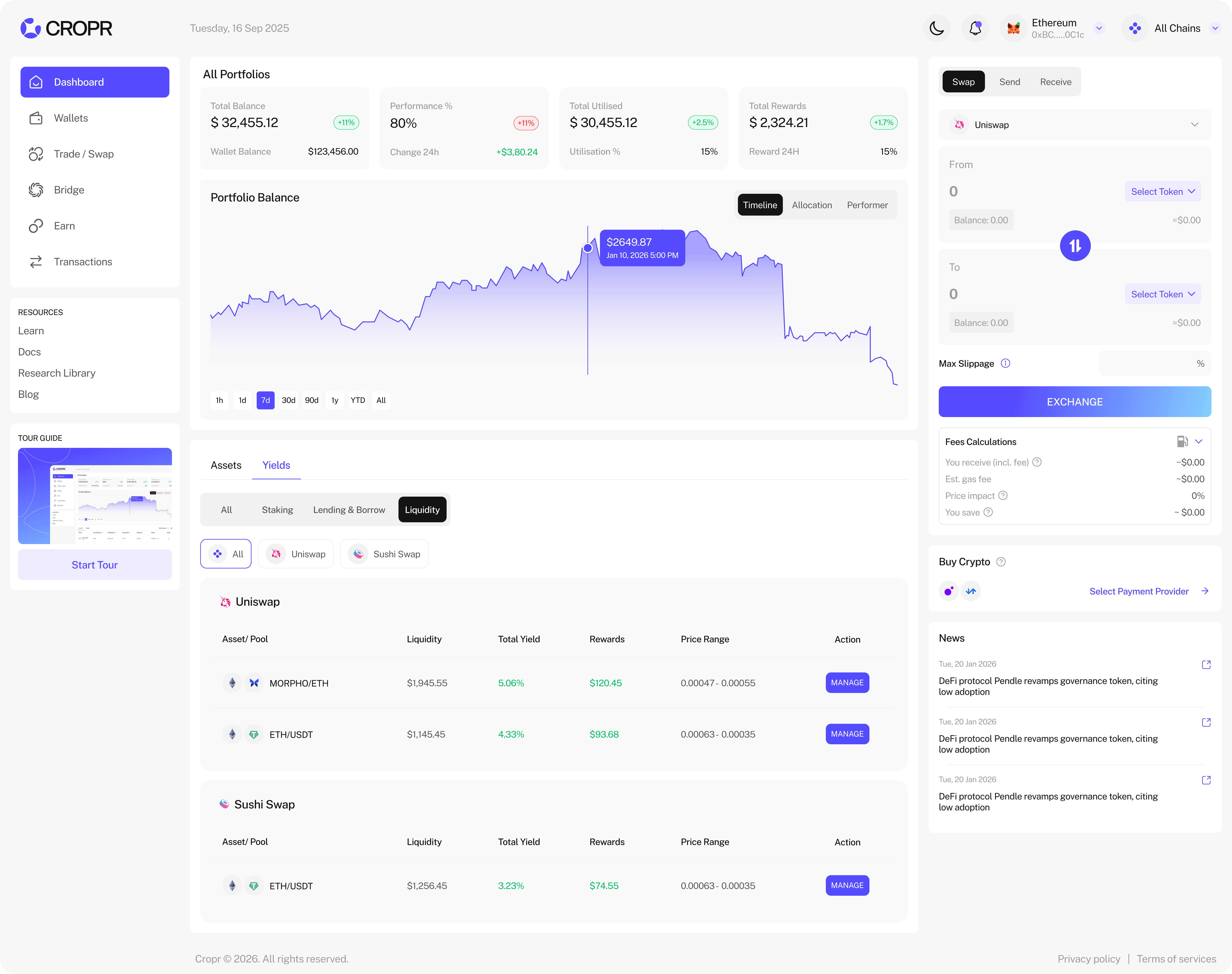
Timeline
In the timeline chart you see the value development of your portfolio where you can select at the moment 1h, 1d, 7d, 30d, 1y. Currently you see only the portfolio value timeline of your all your wallets on one chain but soon you'll see it across all chains and the yield positions.